Coach feedback

Feedback that sticks.

After a lesson, the coach rates what was trained and sets the next thing to work on. The fencer and their parents read it in the app.


Download on the App Store Get it on Google Play
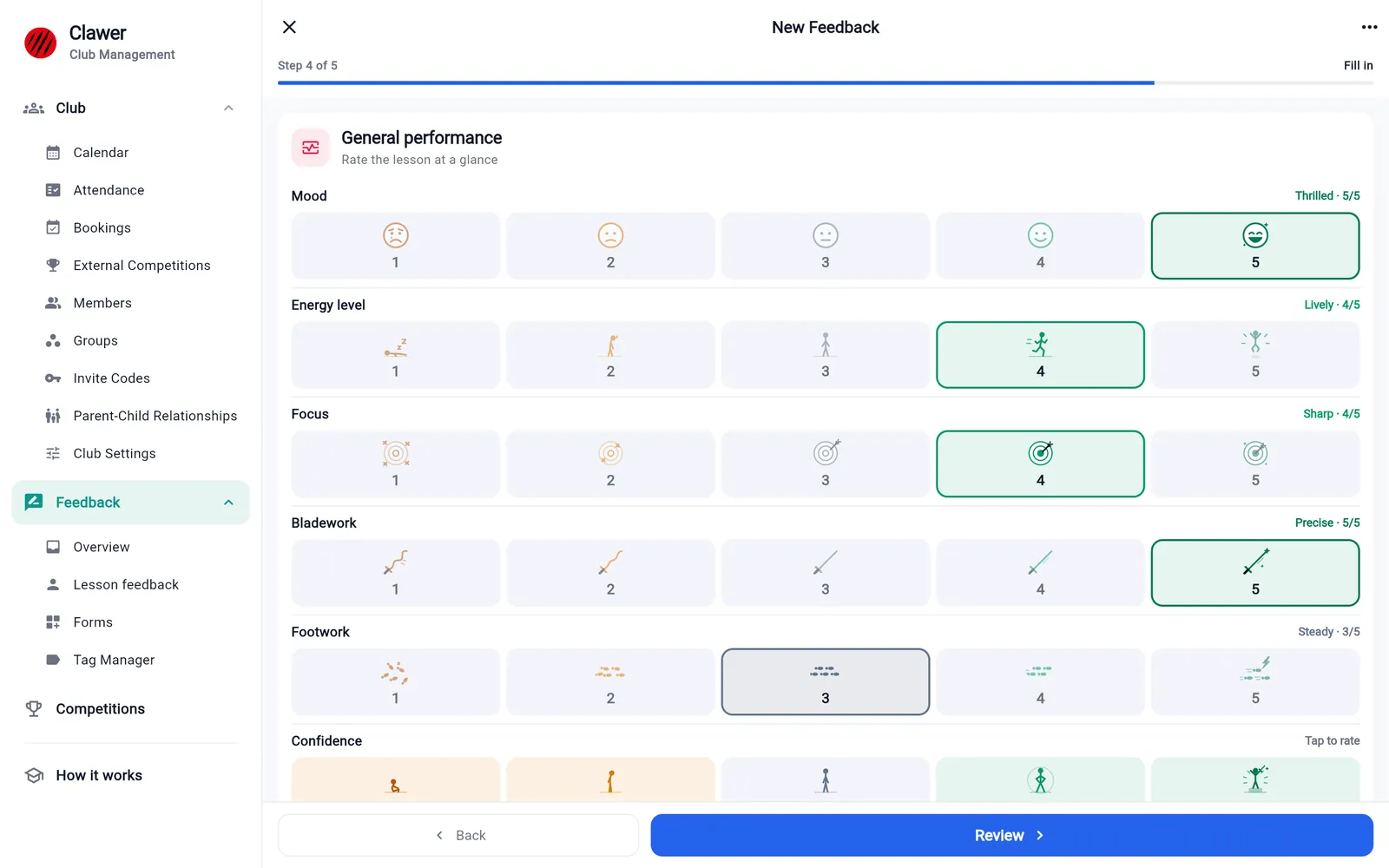
Structured feedback on a computer: rating the lesson
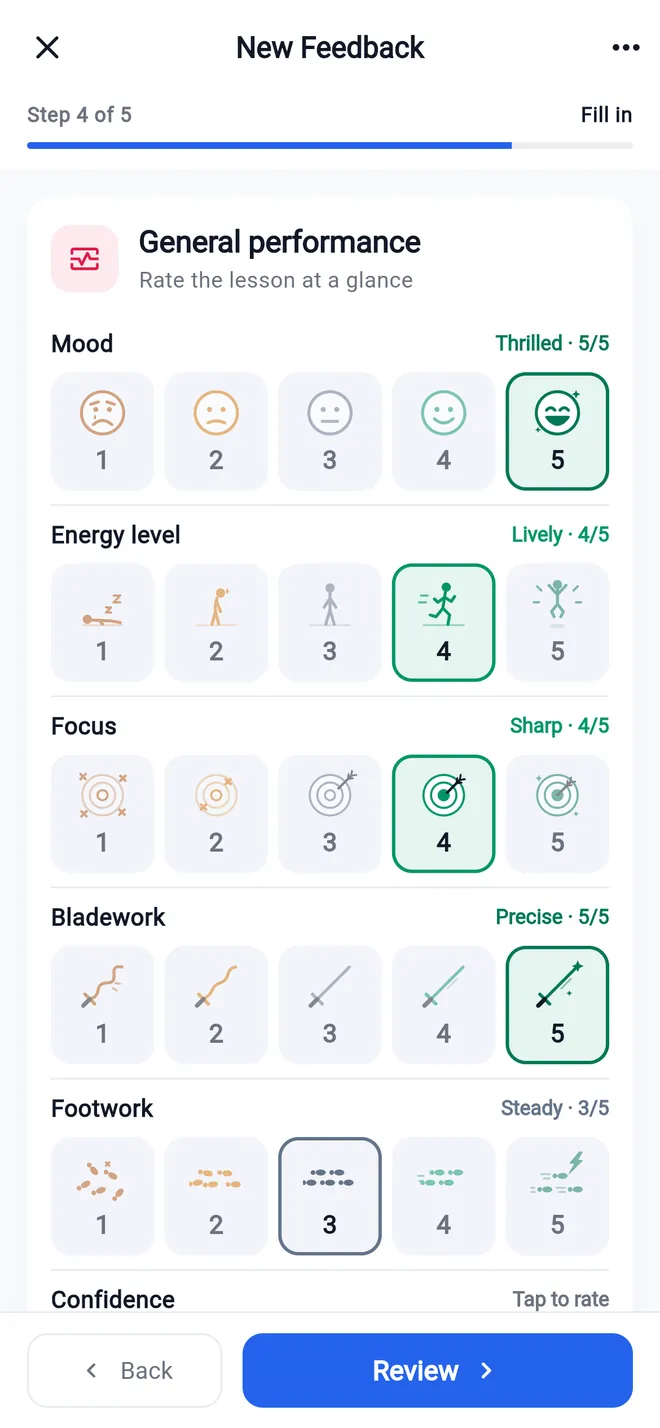
Structured feedback on the phone

How it works

Two minutes after the lesson.

1

Pick the fencer

Open the lesson that just ended, or choose any fencer.

personCoach
2

Choose a format

Structured feedback from a template, or a quick text note.

checklistCoach
3

Rate and plan

Rate each area from 1 to 5 and write the next step.

flagCoach
4

They read it

The fencer and their parents see it in the app.

family_restroomFencers and parents

Computer and phone

Structured feedback, on any screen.

The same club, on a computer at the desk and on the phone at the piste.

computerOn a computer
Structured feedback on a computer: rating the lesson
smartphoneOn the phone
Structured feedback on the phone

Templates

Your club's way of coaching.

Use the system template every club gets, or build your own from categories and tags, including weapon-specific ones.

  • verifiedSystem template ready to use
  • tuneYour own categories and tags
  • edit_noteQuick text note when there is no time
Choose feedback format
checklistStructured feedbackCategories, tags and 1–5 ratingsTemplate
edit_noteQuick text noteA short note, no tags

Templates

verifiedLesson summarySystem template · every club
tuneAttack · FoilYour club · weapon specific

FAQ

Questions clubs ask

Who can see the feedback?

The fencer it is written for and their parents.

Can we use our own categories?

Yes. Clubs can create their own categories, tags and templates, next to the system template.

Can a coach suggest a private lesson in the feedback?

Yes. The coach can add a reason why a private lesson would help, and pick from suggested wording.

Get the app

Bring your whole club into one app.

Free to download on iPhone, iPad and Android.

Download on the App Store Get it on Google Play