Your club has one code for everyone. Scan it, say who you are, and your coach lets you in.

Westbrook Fencing
Scan to join
Join code
WFC7K2QX
No camera? Open app.clawer.me/join or enter the code in the Clawer app.
For fencers under 16. Your child doesn't need an account: you follow everything from yours.
WFC7K2QX
Link
Poster
Your coach shares one code for the whole club: as a QR code, a link or a poster.
 Open in Clawer
Scan the QR with your phone camera, or type the 8-character code in Clawer. No app yet? The link opens the store first.
Who is joining?
I'm a parent
I'm adding my child
I'm a fencer (16+)
I'm joining with my own account
Add your child's name and birth date, then your own name and email.
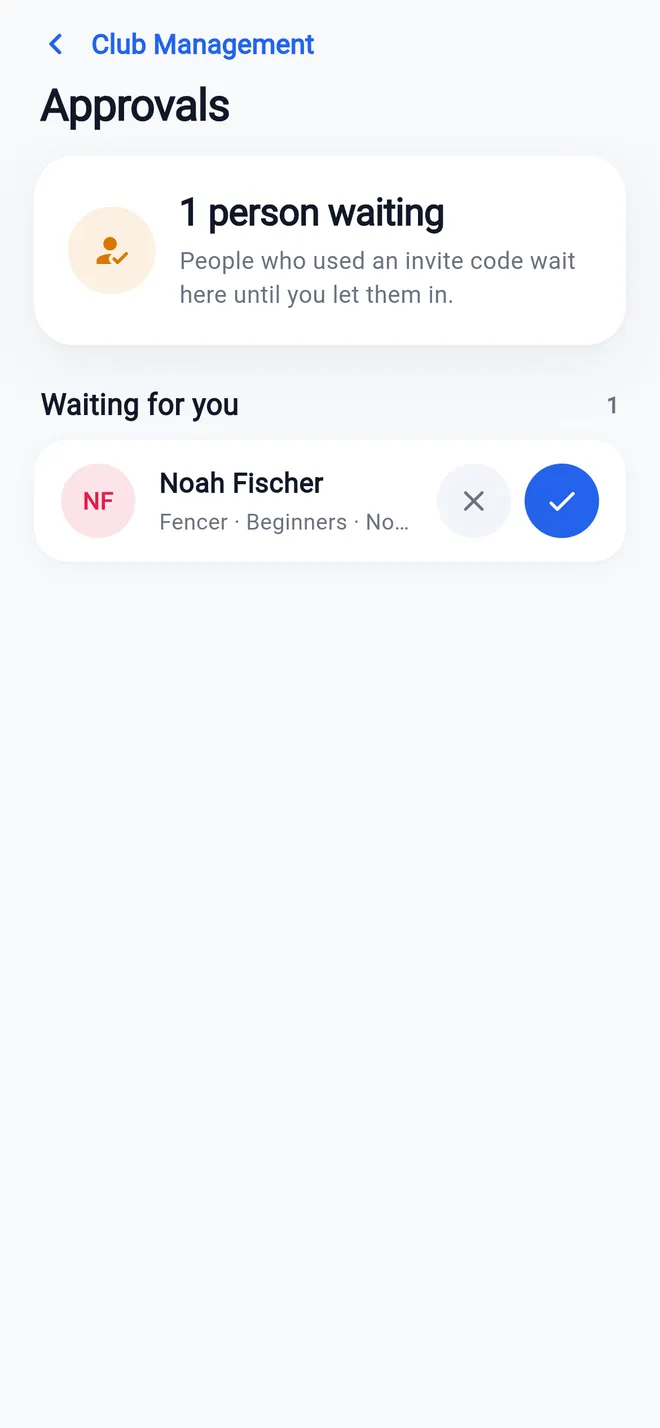
The coach approves you in the app. Then your child's schedule, feedback and results appear in yours.
The same code your club gives everyone.
Then enter your name and email.
As soon as your coach lets you in. Some clubs let fencers in straight away.
Join your club
Enter the code from your coach or the club poster.
Club code
WFC7K2QX
Next you'll create your account. Nothing is sent until then.
A parent has to agree to a child's account. That's why fencers under 16 join through a parent, who then sees their schedule, feedback and results.
If your child already trains there, the coach links you to them. You don't add them again.
The coach can give you a personal parent code for your child. Up to two parents can use it, and they're linked straight away.
Invite to club
Give this one code to every fencer and parent. When they join, they choose whether they are a fencer or a parent.
Join code
WFC7K2QX
Show QR
Print poster
Share link
Approve new members first
When off, fencers join straight away. Parents always wait for your approval.
Club Management › Invite to your club, or Members › Add. Show the QR, print the poster or share the link.
Parents always wait for your approval. Fencers can join straight away if you switch approval off.
Coaches get a separate coach code, and a club admin approves them.
Get the app
Free to download on iPhone, iPad and Android.